The invitation page
The page your invitation link opens: your name, your password and the button that joins you to the agency's team.
When a colleague invites you to the agency's team, or when your agency's account is created for you, you receive a link. It opens this page, where you choose your password.
What you see
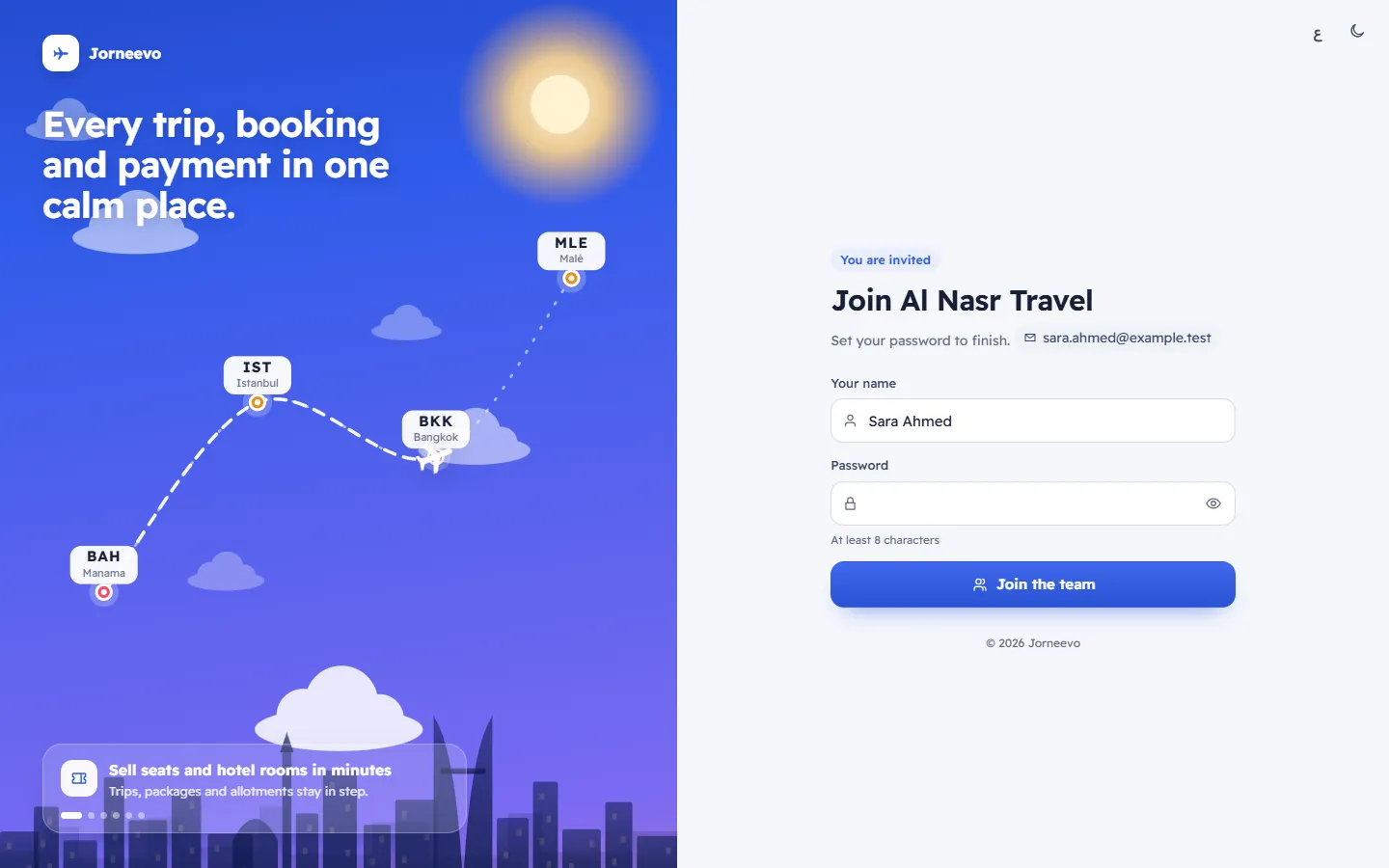
You are invited
- The heading Join … with the agency's name (in Arabic, its Arabic name). A platform admin invitation shows Platform admin invitation instead, with the heading Join the … platform team.
- Set your password to finish. and the email you were invited with. That email is the one you sign in with.
- Your name: filled in from the invitation. Correct it if needed.
- Password: at least 8 characters, with a strength meter.
- Join the team.
This invitation has expired
Shown when the link is too old, was cancelled, or was already used: Ask the person who invited you to send a new one., with Back to sign in.
What you can do here
Note
An invitation from a colleague works for 7 days. The invitation sent when the platform creates a new agency for its owner works for 14 days. Each link works once.
Related articles
- Accept an invitation to the teamOpen the invitation link, check your name, choose a password and join your agency's team.
- I cannot sign inThe checks to make, in order, when the sign-in page refuses your password, your code, your reset link or your invitation.
- Set up two-step sign-inProtect your account with a six-digit code from an authenticator app on your phone, and save your 10 recovery codes.