The choose a new password page
The page the reset link opens, where you type your new password twice and sign in; your other devices are signed out.
The link in the reset email opens this page. It works for one hour after you asked for it, and only once.
What you see
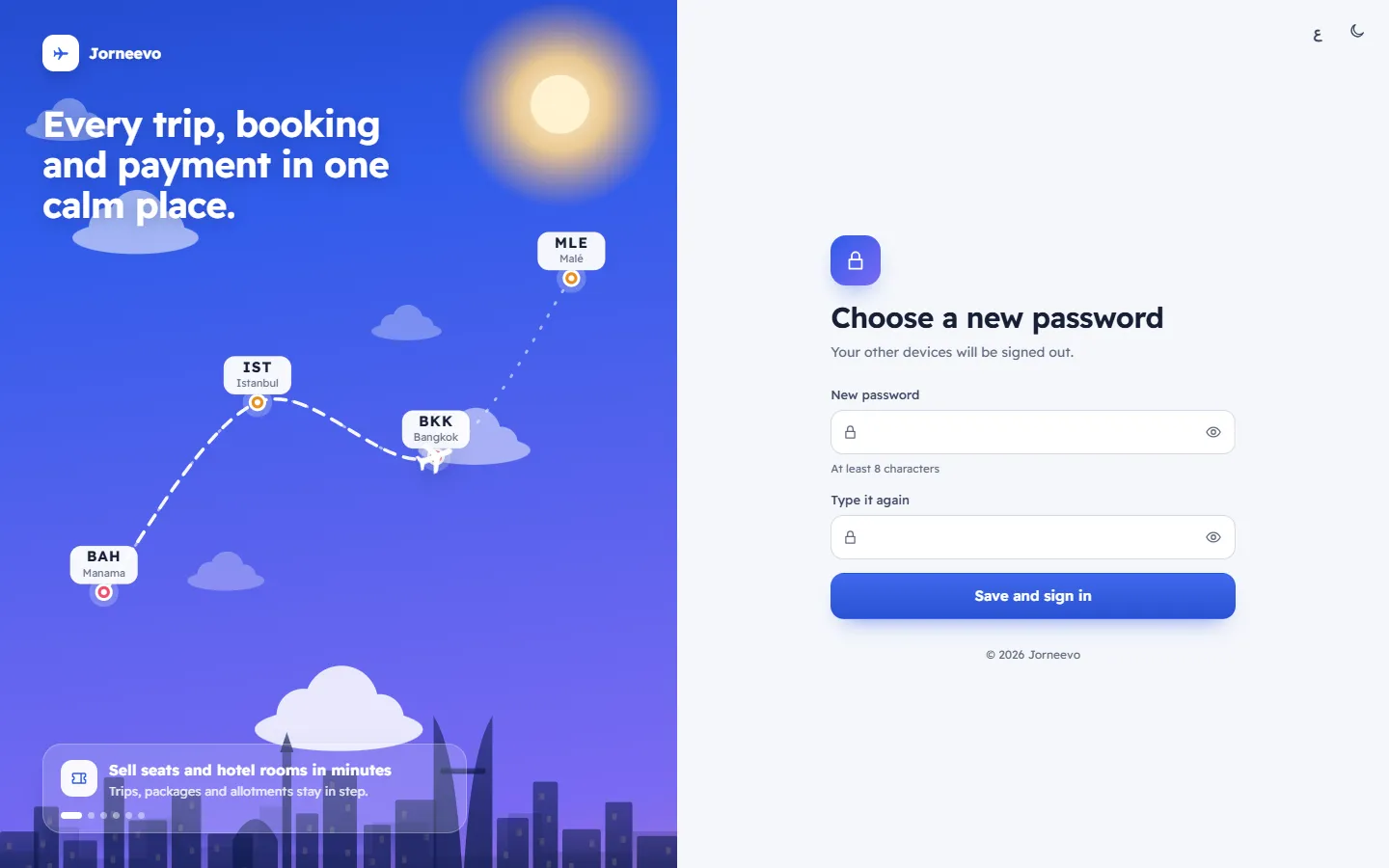
- Choose a new password, with Your other devices will be signed out.
- New password with the hint At least 8 characters and a strength meter: Too short, Weak, Fair, Good or Strong.
- Type it again.
- Save and sign in.
After you save
- Without two-step sign-in: you are signed in and the app opens, with the message Password changed.
- With two-step sign-in: the sign-in page opens with Password changed. Sign in with it and your two-step code. The reset link proves you own the email, not the phone, so the code is still needed.
- Every other session and every remembered device of your account is signed out.
- If you had been invited and never set a password, your account becomes active.
If something goes wrong
- This link has expired. Ask for a new one.: more than an hour has passed, or the link was already used. Ask for a new one on the reset page.
- Use at least 8 characters: the password is too short.
- The two passwords are different: type the same password in both boxes.
Related articles
- Reset a forgotten passwordGet a reset link by email, open it within one hour and choose a new password of at least 8 characters.
- The reset your password pageAsk for an email with a link to choose a new password; the link works for one hour and only once.
- Change your passwordChoose a new password in My account; your other devices are signed out at once.