The secure payment page
The page a payment link opens: what you are paying, the button that takes you to your bank, the payment states and your receipt.
A payment link, from the agency or from your trip page, opens Secure payment. At the top: Call and WhatsApp buttons, the language and the light or dark look.
Payment to the agency
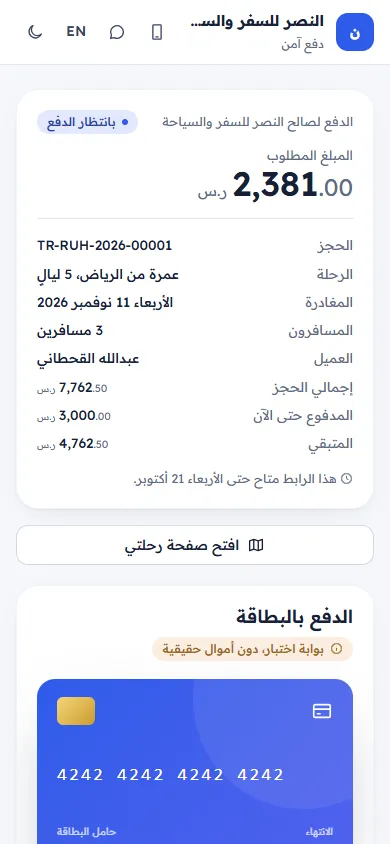
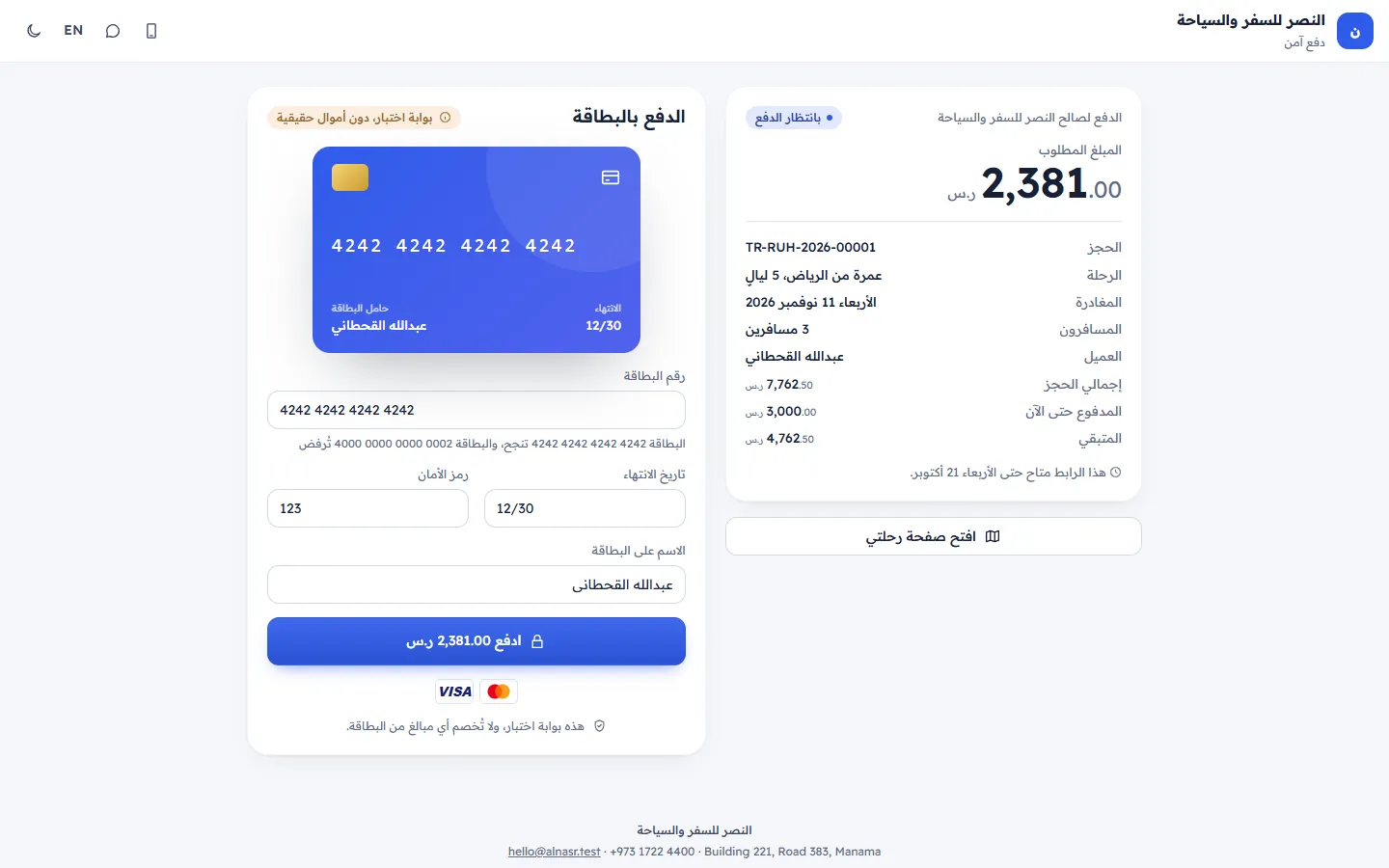
A status chip (Waiting for payment, Paid, Link expired or Cancelled), the Amount to pay, and the Booking, Trip, Departs, Travellers, Customer, Booking total, Paid so far and Balance. "This link is open until …" shows how long you can pay. Open my trip page goes to your trip.
Pay securely
- "You will continue to … to pay, then come back here by yourself." Tap Pay …. You pay on the bank's page; Your card details never reach us; the bank handles them.
- If the agency takes payments by transfer instead, How to pay shows its instructions and "Please mention TR-… in the transfer reference. The payment is confirmed when it arrives."
After the bank
- Confirming your payment with the bank… (This takes a few seconds. Please keep this page open.)
- The bank is still confirming…: the page checks again by itself. If it takes long: "It is taking longer than usual. Check again in a minute, or come back to this page later. Please do not pay twice." Tap Check again.
- The payment did not go through: No money was taken. You can try again with the same card or another one. Tap Try again.
- You cancelled the payment: Nothing was charged. You can pay whenever you are ready.
Paid
Payment received. Thank you! with a PAID stamp. It says the agency sees it on your booking right away and shows the balance left, or Your booking is now paid in full. Have a wonderful trip. The receipt box shows Receipt, Amount, Date, Booking and Reference. Print receipt and Back to my trip. Opening the link again later shows This payment is complete.
Expired or cancelled links
This payment link has expired or This payment link was cancelled: You can pay the balance from your trip page, or ask the agency for a new link. Tap Go to my trip. Payment link not found: check the link, or ask the agency for a new one.
Related articles
- Pay your balance online by cardPay the full balance, the amount the agency asked for, or part of it by card, on a secure payment page, and get your receipt.
- Paying online: common questionsAnswers about card safety, paying part of the balance, receipts, expired payment links, bank transfers and paying twice.
- My online payment did not go throughThe card was declined, the page keeps confirming, the link expired or the amount is refused. What each case means and what to do.