Owner's phone
A phone-sized morning summary: money in, money owed, trips at risk, missing documents, what waits for you and what the team did.
Owner's phone is what the owner checks every morning before reaching the office. It shows the agency on one phone-sized screen, built on live data. Open it on your phone and add it to the home screen: no app store is needed.
What you see
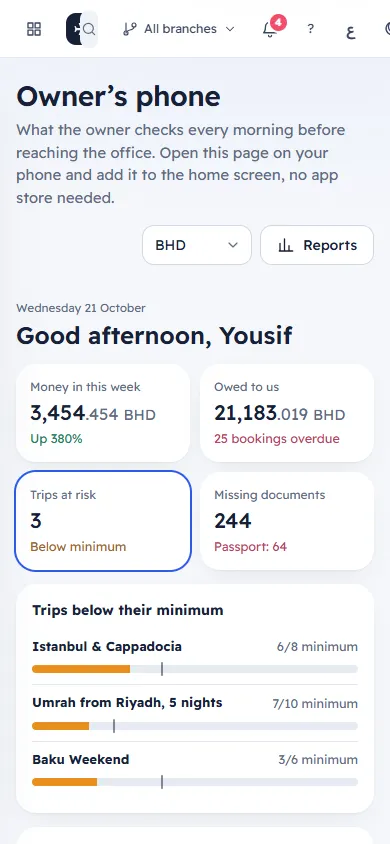
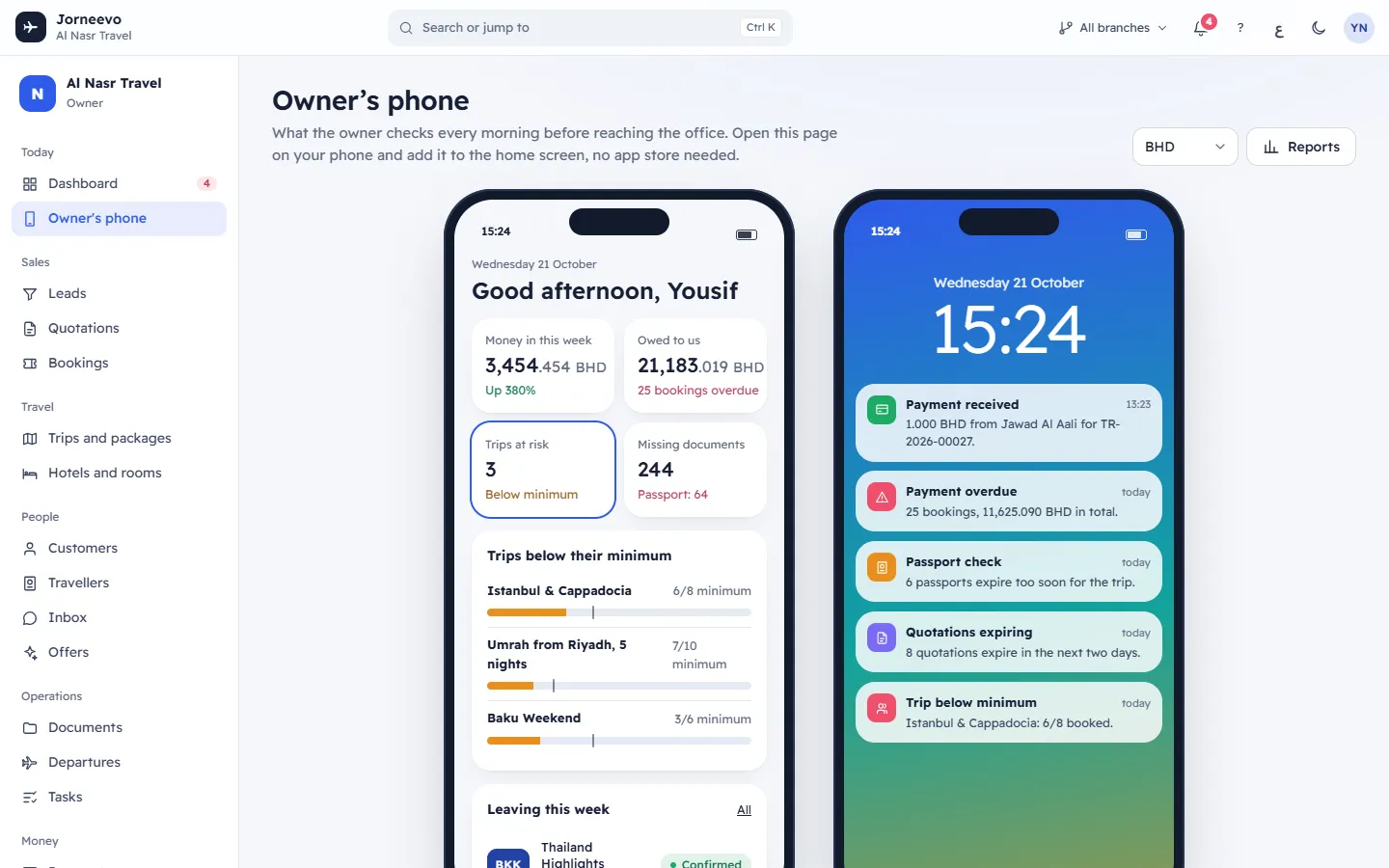
The header
- Owner’s phone, with a short line on what the page is for.
- The currency box, for example BHD: the currency of the money figures. You see it only when your role shows money figures.
- Reports: opens Reports. You see it only when your role may see reports.
On a computer the page shows two phones side by side. On a phone you see them one under the other.
The first phone: your summary
At the top: today's date and a greeting with your first name. Then four tiles. Press a tile to show its detail in the card under the tiles. The page starts on Trips at risk, or on Money in this week when no trip is at risk.
| Tile | What it shows | Its detail |
|---|---|---|
| Money in this week | Payments received over the last seven days, today included, less refunds. Under it: Up 15% or Down 10% compared with the seven days before, or Last 7 days when there is nothing to compare with. | One bar per day; today is labelled Today. |
| Owed to us | What customers still owe on confirmed bookings, and how many bookings are overdue. | Largest balances owed: the five largest, with the customer, the trip and overdue when it is late. Press one to open the booking. With none: Nobody owes anything. |
| Trips at risk | Trips leaving in the next 60 days that are still under their minimum group size: Below minimum, or All above minimum. | Trips below their minimum: each trip with travellers counted out of the minimum and a seats bar. Press one to open the trip. With none: Every trip leaving in the next two months has reached its minimum. |
| Missing documents | Required documents still missing on trips leaving in the next 45 days, with the type missing most, or Nothing missing. | The count for each document type. Press one to open Documents. With none: Trips leaving in the next 45 days have every document. |
Note
Money in this week and Owed to us appear only for roles that may see payments, profit or reports. Other people see the two other tiles.
Under the tiles:
- Leaving this week: trips that leave in the next seven days, with when they leave, seats sold out of the capacity and the trip's status. All opens Departures. With none: No trips leave in the next seven days.
- Waiting for you: up to five quotations the customer accepted that are not booked yet. Each shows the customer, Chose option B and the quotation's title, and the total when your role shows money. Press one to open the quotation and turn it into a booking. With none: Nothing needs your decision right now. You see quotations here only when your role may see quotations.
- Team activity: the last six things your team did, with who and how long ago. With nothing: Nothing yet today.
The second phone: the lock screen
A lock screen with the time and up to six notifications. Press one to open what it is about.
- Payment received: payments of the last two days, for example "BHD 300.000 from Huda Ali for BK-2041.", or "… is now fully paid." when the payment settled the booking.
- Customer said yes: a customer chose an option of a quotation, "Ready to book."
- Payment overdue, Passport check, Trip below minimum and Quotations expiring: the same alerts as on the Dashboard. See What each alert means.
With nothing to show: All quiet and No payments or alerts yet today.
What you can do here
- Follow the agency from your phone each morning: Follow the agency from your phone.
- Open any booking, trip, quotation or document list from the summary.
- Change the currency of the money figures, or choose a branch with the branch switcher in the top bar.
If something goes wrong
- The owner view could not be loaded: the connection dropped or the server did not answer. Press Try again.
- The page refreshes by itself every two minutes, and the clock every 30 seconds.
Related articles
- Follow the agency from your phoneAdd the owner's summary to your phone's home screen and check money, trips at risk and decisions in a minute each morning.
- DashboardYour home screen: what needs you today, this month's numbers, the next departures, where travellers are going and what your team did.
- What each alert meansEvery alert on the dashboard and in the bell: what triggers it, what it says, where its button goes and what makes it go away.
- Dashboard questionsAnswers about the dashboard numbers, the period they cover, branches, currencies, who sees money figures and how often it refreshes.