Accounting
Map each kind of amount to an account in your accounting software, for the agency and per branch, so the journal export imports cleanly.
This screen says which account in your books each amount goes to when you download the journal from Reports → Accounting export. Open it from Settings → Accounting, or with Account mapping on Reports → Accounting export. You need permission to change settings to edit it; downloading the journal needs permission to export reports.
With permission to export reports but not to change settings, you can open this screen read only. Settings then shows only this section, titled Accounting, with the line The accounts the journal export posts to. Read only: an owner or manager changes them.
The note at the top: Download the journal from Reports → Accounting export. Codes must match the accounts in your accounting software; QuickBooks and Zoho match by account name, Xero and Odoo by code. Open reports takes you there.
What you see
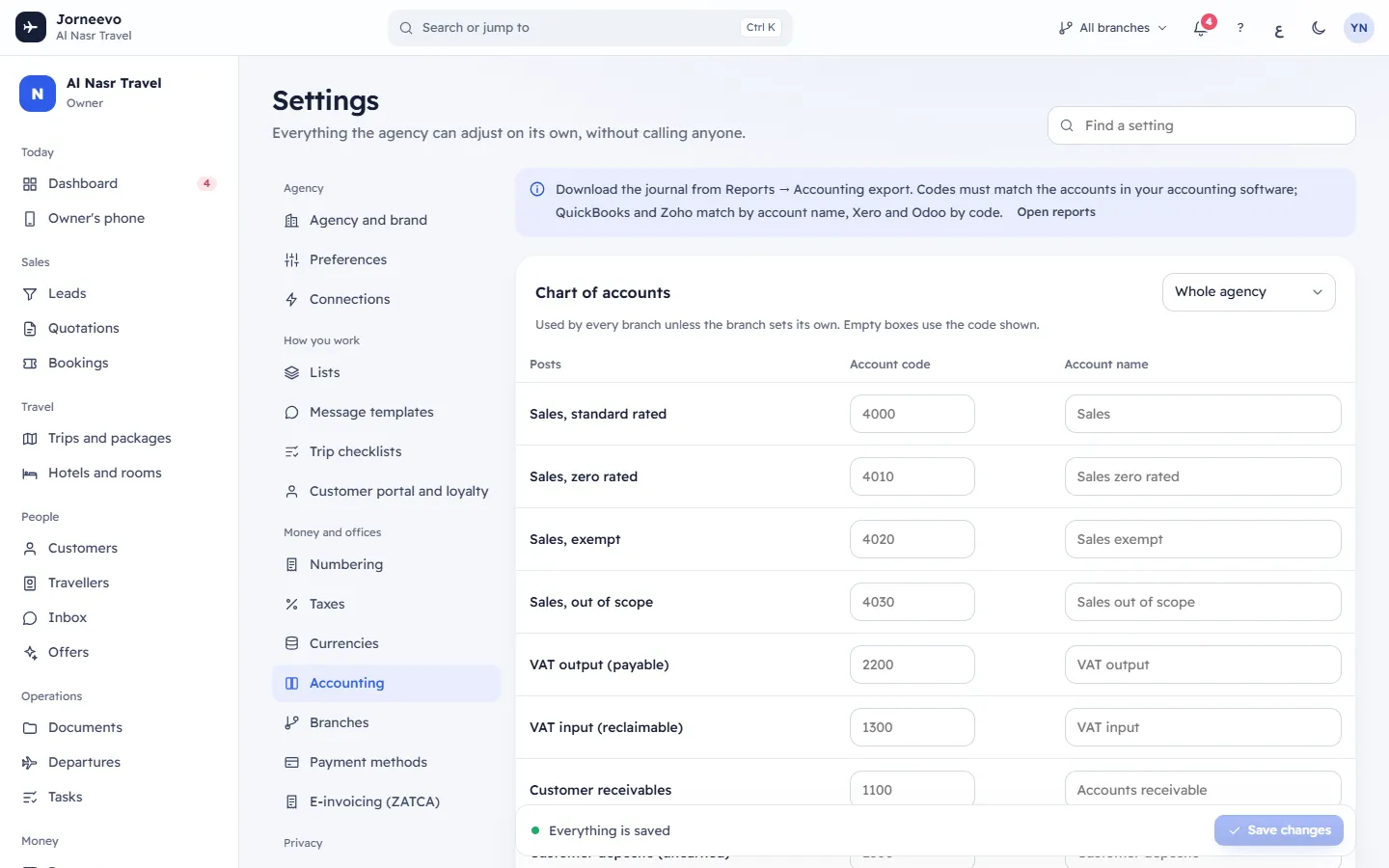
Chart of accounts
Mapping for at the top right chooses what you edit: Whole agency or one branch (with its currency).
- Whole agency: Used by every branch unless the branch sets its own. Empty boxes use the code shown.
- A branch: Only what differs for this branch; empty boxes use the agency mapping. Use it when a branch keeps its own books or bank, for example in another country.
Each row has Posts (the kind of amount), Account code and Account name. An empty box uses the grey value shown in it. The built-in defaults are:
| Posts | Default code | Default name |
|---|---|---|
| Sales, standard rated | 4000 | Sales |
| Sales, zero rated | 4010 | Sales zero rated |
| Sales, exempt | 4020 | Sales exempt |
| Sales, out of scope | 4030 | Sales out of scope |
| VAT output (payable) | 2200 | VAT output |
| VAT input (reclaimable) | 1300 | VAT input |
| Customer receivables | 1100 | Accounts receivable |
| Customer deposits (unearned) | 2300 | Customer deposits |
| Cash | 1000 | Cash on hand |
| Bank | 1010 | Bank |
| Card clearing | 1020 | Card clearing |
| Payment gateway fees | 6100 | Payment processing fees |
| Supplier payables | 2100 | Accounts payable |
| Cost of sales | 5000 | Cost of sales |
| Exchange gain or loss | 7900 | FX gain/loss |
| Rounding differences | 7950 | Rounding differences |
| Customer credit (liability) | 2310 | Customer credit |
| Loyalty points (liability) | 2320 | Loyalty points liability |
An account code is up to 40 characters and a name up to 120. A name without a code is not saved: the code is what makes a row count.
Card payments by provider
Online card payments go to a clearing account per gateway until the payout reaches the bank. Empty = the card
clearing account above. One row per gateway: tap, stripe, credimax, afs, mpgs and benefitpay.
Payment methods
Normally cash goes to cash, transfers and cheques to the bank, cards to card clearing. Set an account here to send a method somewhere else (e.g. a second bank). One row per payment method of your agency. Customer credit goes to Customer credit (liability) and loyalty points to Loyalty points (liability) unless you set an account here.
File options (Whole agency only)
- Dates in the files:
31/12/2026,12/31/2026or2026-12-31. Xero and QuickBooks read dates in your region’s format. The starting choice is31/12/2026, for the Xero, QuickBooks and Zoho Books files alike. - Xero tax rate: The tax rate name Xero should use on journal lines (VAT is already split out). Shown as
No VATwhen empty. Up to 60 characters. - Odoo journal: The journal the entries are imported into. Shown as
MISCwhen empty. Up to 60 characters.
Save bar
At the bottom: You have unsaved changes with Undo changes and Save changes (Ctrl S also saves), or
Everything is saved. After saving, the message Accounting mapping saved appears. If you leave the page with
unsaved changes, Leave without saving? asks first.
What you can do here
- Type your own account codes and names for the whole agency.
- Choose a branch in Mapping for and set only the accounts that differ for it.
- Send each gateway's card payments, or a payment method, to its own account.
- Set the date format, the Xero tax rate and the Odoo journal for the export files.
Tip
Copy your chart of accounts from your accounting software before you start, and match the codes exactly. A code that does not exist there makes the import fail.
If something goes wrong
- Accounting export is missing in Reports: your role cannot export reports. Ask the agency owner.
Related articles
- Payment methodsSet how customers can pay you: cash, bank transfer with your IBAN, cheque, card machine or online, where each method is offered and what customers see.
- BranchesYour offices: each works by its country's currency, VAT and e-invoicing, and prints its own seller details on its invoices.
- TaxesYour tax rules per country, the default rule of each country, the reasons printed on invoices and who gets a tax invoice.