Your trip page
The private page for your booking: countdown, flights, day-by-day plan, hotel and room, travellers and documents, payments and how to reach the agency.
The agency sends you a link to your trip page by WhatsApp or text message. It shows everything about your booking and lets you pay and send documents. To open it the first time, see Open your trip from the link.
The top of the page
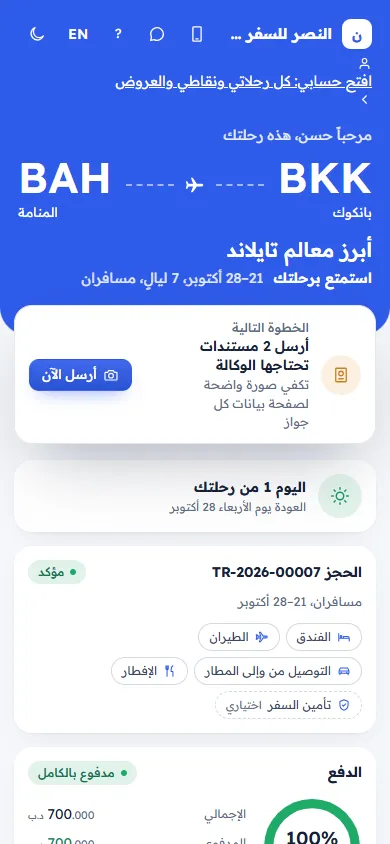
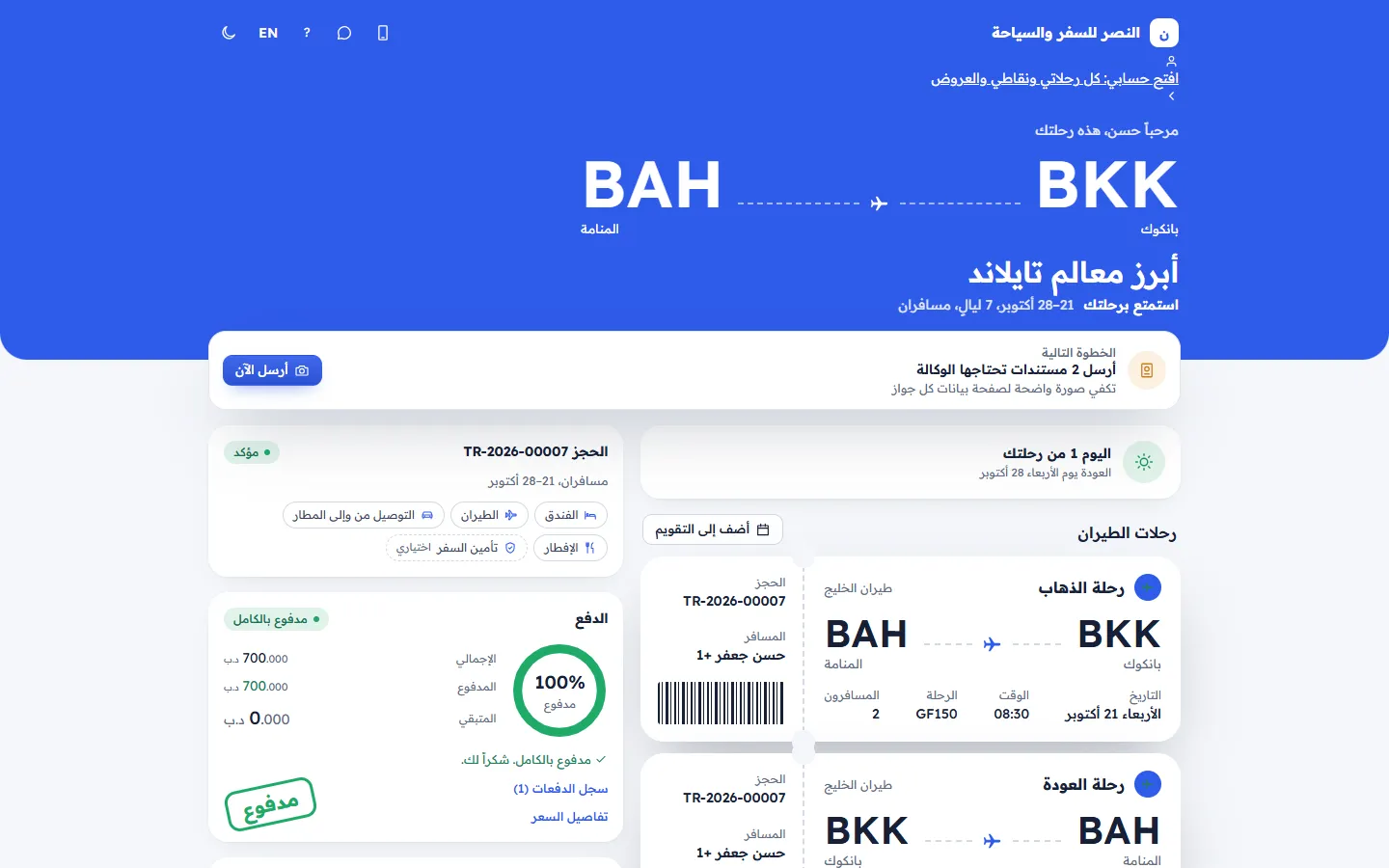
The agency's name, Call and WhatsApp buttons, the language button and the light or dark look. When the agency has customer accounts, Open my account: all my trips, points and offers. Then "Hello Ahmed, here is your trip", the airports, the trip name, when it leaves (Today, Tomorrow or the day and time; Enjoy your trip during the trip; Welcome back after), the dates, nights and travellers.
Next step
One thing to do now:
- Pay: "Pay the balance of 773.430 BHD", "By Saturday 17 October" (or in red "It was due …"), and Pay now.
- Send documents: Send one document the agency needs or "Send 2 documents the agency needs", A clear photo of each passport page is enough, and Send now.
- You are all set: Paid in full and every document is in. See you at the airport. (or The agency will tell you how to pay the balance.)
Time until take-off
A live countdown in days, hours, minutes and seconds. During the trip: "Day 3 of your trip" and "You fly home on …". After: Your trip is complete, We hope you had a wonderful time. For a cancelled booking: This booking was cancelled, Contact the agency if you have any question about it or about a refund.
Your flights
Boarding-pass cards Outbound and Return: the airline, airports and cities, Date, Time, Flight, Travellers, the Booking number and the Passenger. Add to calendar downloads both flights to your phone's calendar, with a reminder the day before.
Day by day
Each day of the programme with its date. Past days are ticked and today is highlighted.
Where you stay
For each hotel: the name, stars, area, Check in, Check out, Nights, Meals, and your rooms with the room number, floor, room type and guest names (Names coming soon before the rooms are given). Tap the phone number to call the hotel.
Booking and Payment
- Booking: the booking number with Confirmed, Cancelled or In progress, the travellers, dates and what is included (optional for extras).
- Payment: the payment chip, the paid percentage, Total, Paid and Balance, and "Please pay the balance by …" (red when late). A Pay … button when you can pay online, or How to pay with the agency's bank details ("Please mention TR-… in the reference."), or Contact the agency to pay the balance. When everything is paid: Paid in full. Thank you. and a PAID stamp. Payment history (2) lists each payment (refunds marked (refund)); Price details lists the price lines.
Travellers and documents
"3 of 4 ready", the agency's documents for the booking (tickets, vouchers) with Download, and for each traveller the passport (last 4 digits and expiry) and the documents the trip needs: Needed, Received, Ready or Please send again. See Send your passport and documents and Download your tickets, vouchers and invoices.
Contact
Message us on WhatsApp, Call, and Share the trip plan with family: it shares a short summary (trip, dates, flights, hotel, agency phone), never your private link. At the bottom: the agency's name, address, phone and email.
Related articles
- Open your trip from the linkOpen the trip link the agency sent you, get a one-time code by WhatsApp, text message or email, and see your trip.
- Pay your balance online by cardPay the full balance, the amount the agency asked for, or part of it by card, on a secure payment page, and get your receipt.
- Send your passport and documentsSend a photo or PDF of a passport or another document the agency needs, straight from your trip page or booking.
- Download your tickets, vouchers and invoicesOpen or download the tickets, hotel vouchers and visas the agency sent you, and your tax invoices and credit notes.